
Interface
The following image shows the game interface. View the details of each function below:
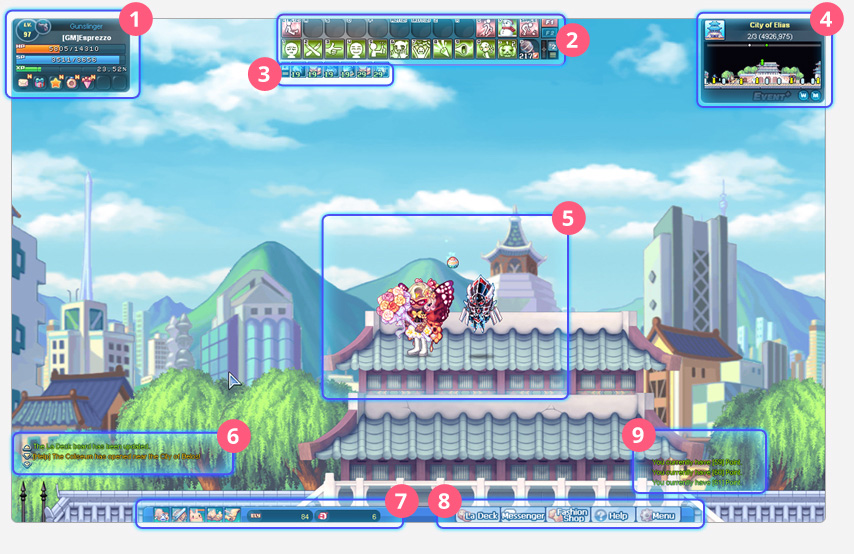
1. Mini Status
View your character's class, level, name, HP, SP, and EXP gauges. Use the icons on the bottom row to check your Mailbox, Gift Bundle, Star-Eating Tree, Achievements, and Events.

2. Quick Slot: Hotkey
Set up hotkeys by dragging and dropping consumable items and skill icons onto the slots.

3. Buff Bar
Check your various active buffs by placing your mouse over the effect icons.

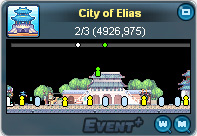
4. Mini Map
View the name and information of the area around you by hovering your mouse over the icons.
5. Character
View your character's appearance, title, nickname, and guild.

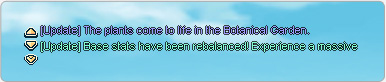
6. Chat
View chat messages from players nearby here. You can chat with other players by pressing the Enter key. Type “/?” to see the chat commands.
7. Shortcuts
Use these shortcuts to open and close your Item, Equipment, Status, Skill, and Quest windows.

8. La Deck Tabs
Use the shortcuts to open the La Deck board, Messenger, Fashion Shop, Help window, and Menu.

9. System Messages
View experience, items, Ely, and other points you gain by defeating monsters.
